Vampire transformation
AI vampire transformation video from one photo
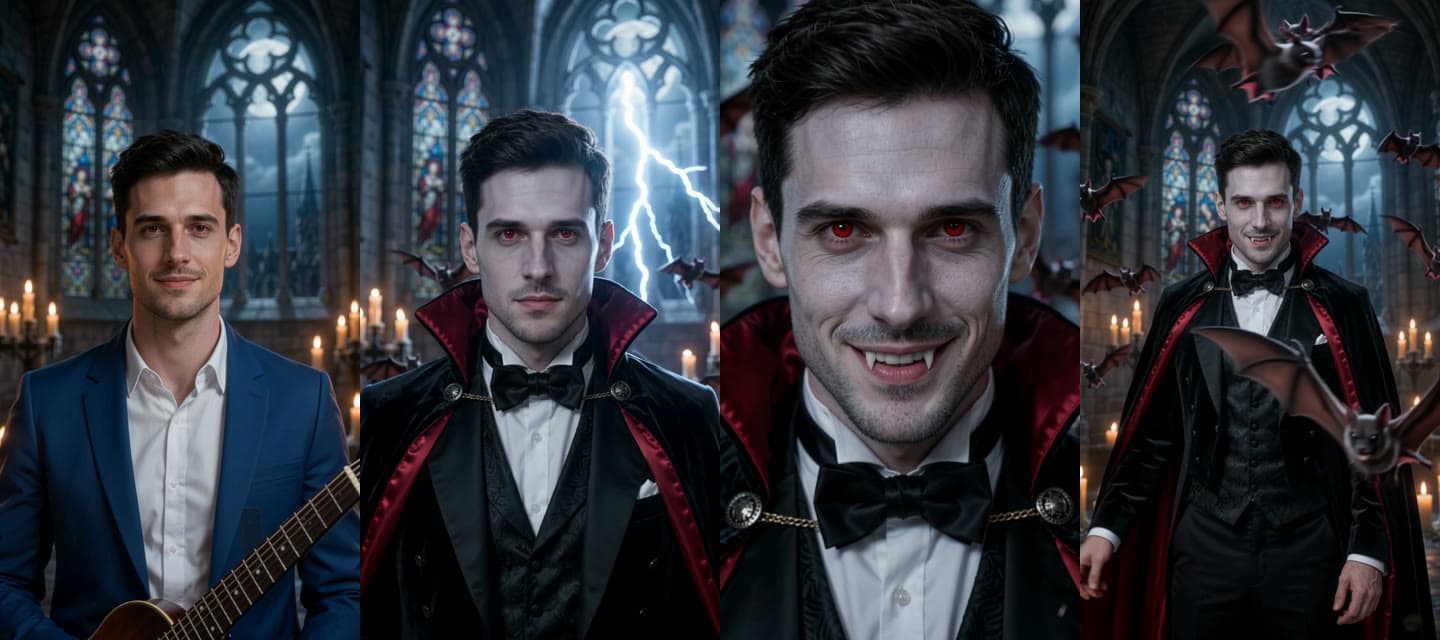
Upload one photo. You get a 10-second vertical Halloween video: lightning strikes in a candlelit castle and you turn into a vampire, with red eyes, small fangs and a crimson-lined cape.
Read the guide- 10 seconds, 9:16 vertical
- Music and sound included
Try it now
Pick your photos here. They stay in your browser until you generate.
How it works
From one photo to one vampire
Upload your photo
One person, facing the camera, in good light. JPEG, PNG or WebP, up to 2 MB.
Generate
One video costs 50 credits. You don't write a prompt: the transformation is set.
Play or download
It is usually ready in a few minutes. You get a notification if you leave the page.
A Halloween effect
What you get
The whole change in 10 seconds
You stand in a castle hall, lightning flashes, you turn into a vampire and hide behind the cape before the bats fly at the camera.
Made for TikTok, Reels and Shorts
The video is 9:16 and comes with its own organ music, thunder and bats. You don't add a song.
Still your face
Your face and hair stay recognisable. The vampire look is a film costume: no blood, no gore.
FAQ
Questions
- How much does a vampire video cost?
- 50 credits for one 10-second video. New accounts get 75 free credits, enough for your first one. Buy credits on the pricing page.
- What if a video fails?
- You get the credits back. Try again with the same photo or a different one.
- How long does it take?
- Usually a few minutes. You can close the page: you get a notification when the video is ready.
- Is it scary?
- It's spooky, not gory. The prompt asks for a costume look with no blood, wounds or biting.
Make your vampire video
Sign in with an email link or your Google account. No password.
Make a vampire video